
Go from an idea
to contentyou're proud of,faster.
Stanza connects the AI agent you already use to your company's knowledge. Work through ideas and write with your agent and your teammates right alongside you.
Works with ChatGPT, Claude, and other supported agents.
Without Stanza
You sit down to write, and first you have to explain your company again.
You want to work through an idea or get another read on a passage. Instead, you spend the conversation explaining who you sell to, what matters to them, and how you talk about your product.
- "No, you're making this all about speed. That's not why people buy it."
- "No, when we're talking to fintech companies, we lead with fraud prevention, not geolocation."
- "This sounds nothing like us."
With Stanza
Your agent already knows your company.
Like a teammate, it knows your product, which angle matters to each audience, and how you talk. It can read what your team has written in Stanza, so you skip the briefing and start on the idea.
"Draft an opening for the receipt scanning launch post. It's for fintech teams."
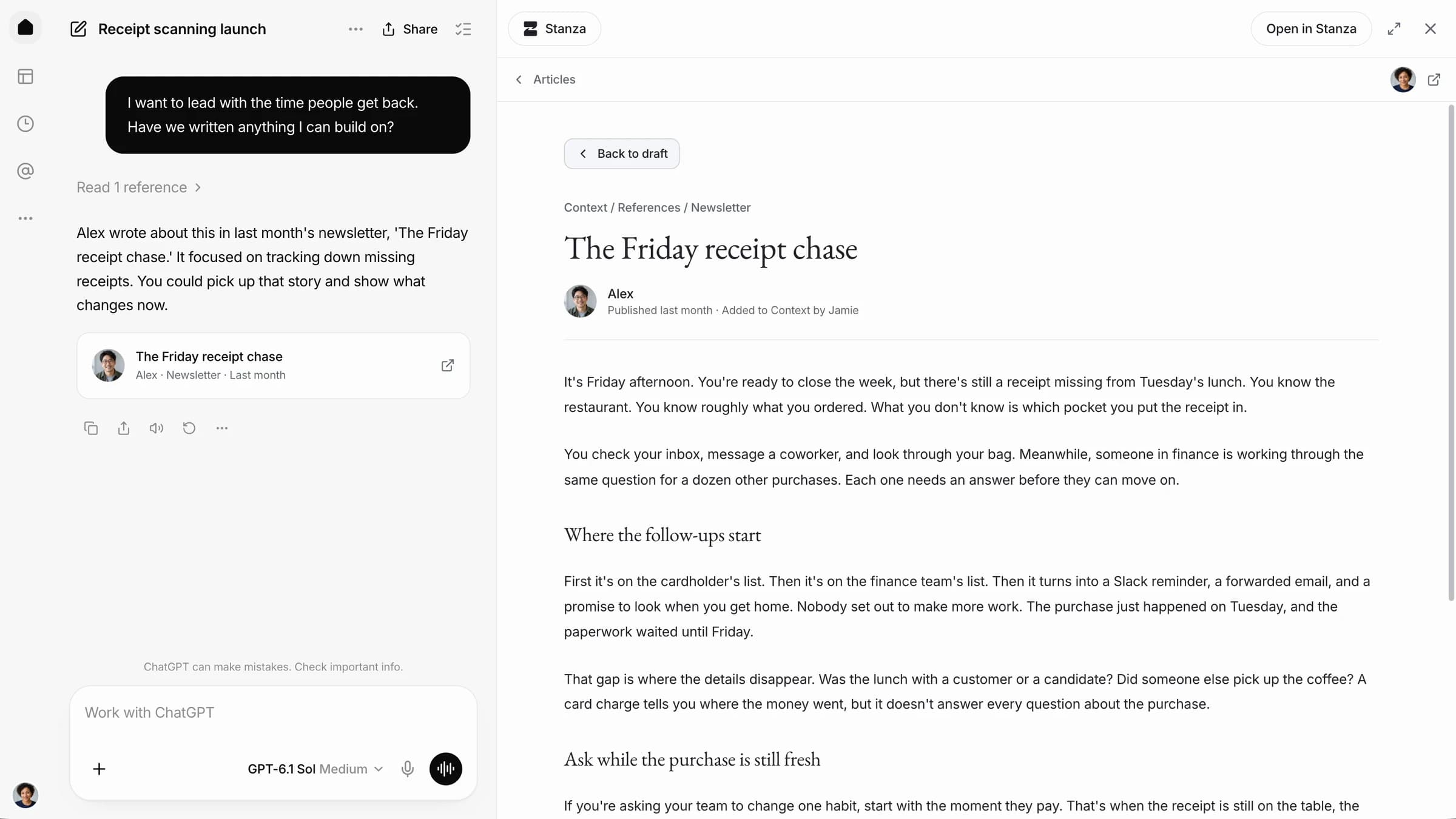
 StanzaRead Knowledge, Rules, and Examples
Here's an opening that leads with fraud prevention, the way you pitch fintech teams.
Build on what your team already knows.
Your product, your audience, your voice, and the work your team has already published give your agent something useful to draw on.
Context holds three lists. Rules say what your writing always or never does. Knowledge holds what's true about your product and what you think, and each line names its source. Examples are passages of your own writing that show how you sound. Your agent can use them to check a claim, explore an angle, or build on something a coworker wrote. When you change a line in Stanza, every connected agent reads the new one.
One draft for you, your agent, and your team.
Without Stanza
You work on a piece in ChatGPT, then paste it into Google Docs, Notion, or Slack for feedback. You bring the comments back into your chat, work through the changes with your agent, and copy the revised draft over again.
 ChatGPT:Draft the piece with your agent.

 Google Docs or Notion:Paste it into a doc so your team can read it.
 Slack:Chase Alex for comments.

- ChatGPT:Paste the comments back into your chat.
- Google Docs or Notion:Copy the revised draft over again.
With Stanza
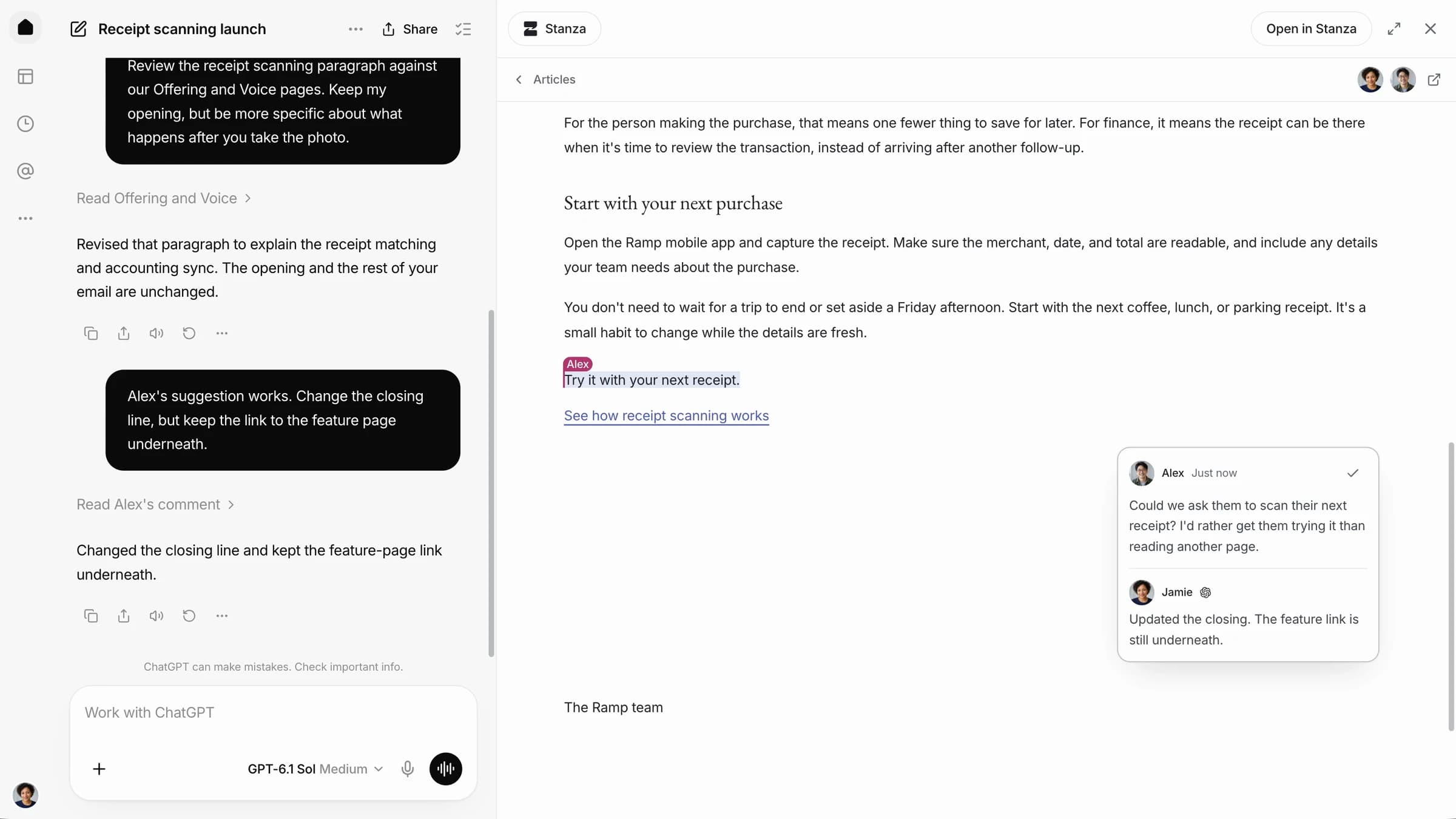
Stanza opens a full rich text editor right inside ChatGPT. Write directly in the draft and ask your agent to review a passage. Your teammates comment on the same document, and your agent reads their comments too.
 Jamie and Alex are in this draft.
For the person making the purchase, that means one fewer thing to save for later. For finance, the receipt is there when it's time to review the transaction.
Try it with your next receipt.
See how receipt scanning works
- AlexJust now
Could we ask them to scan their next receipt? I'd rather get them trying it than reading another page.
- Jamie's ChatGPT
Updated the closing. The feature link is still underneath.
A few things you might be wondering
- Can I keep using ChatGPT or Claude?
Yes. Keep working in ChatGPT, Claude, or another supported agent. Stanza gives your agent your company's context and access to shared drafts, right in the conversation you're already having. In ChatGPT, the full editor opens beside your chat, so you can write with your agent and work through your teammates' comments there.
- Why not just use instructions or Markdown files?
If you're writing on your own, instructions or local Markdown and skill files may be all you need.
The harder part is keeping those files current as your product grows and changes. Features ship, positioning changes, and new content goes live. Each update means another round of edits to your AI's files, multiplied across your team's agents.
Stanza gives your connected agents one shared source of company context. Your team updates it once, and every connected agent can read it.
Coming: connections to sources such as Notion and your CMS, so Stanza can keep that context current as your source material changes. You won't have to copy updates into AI files or maintain your own integrations and webhooks.